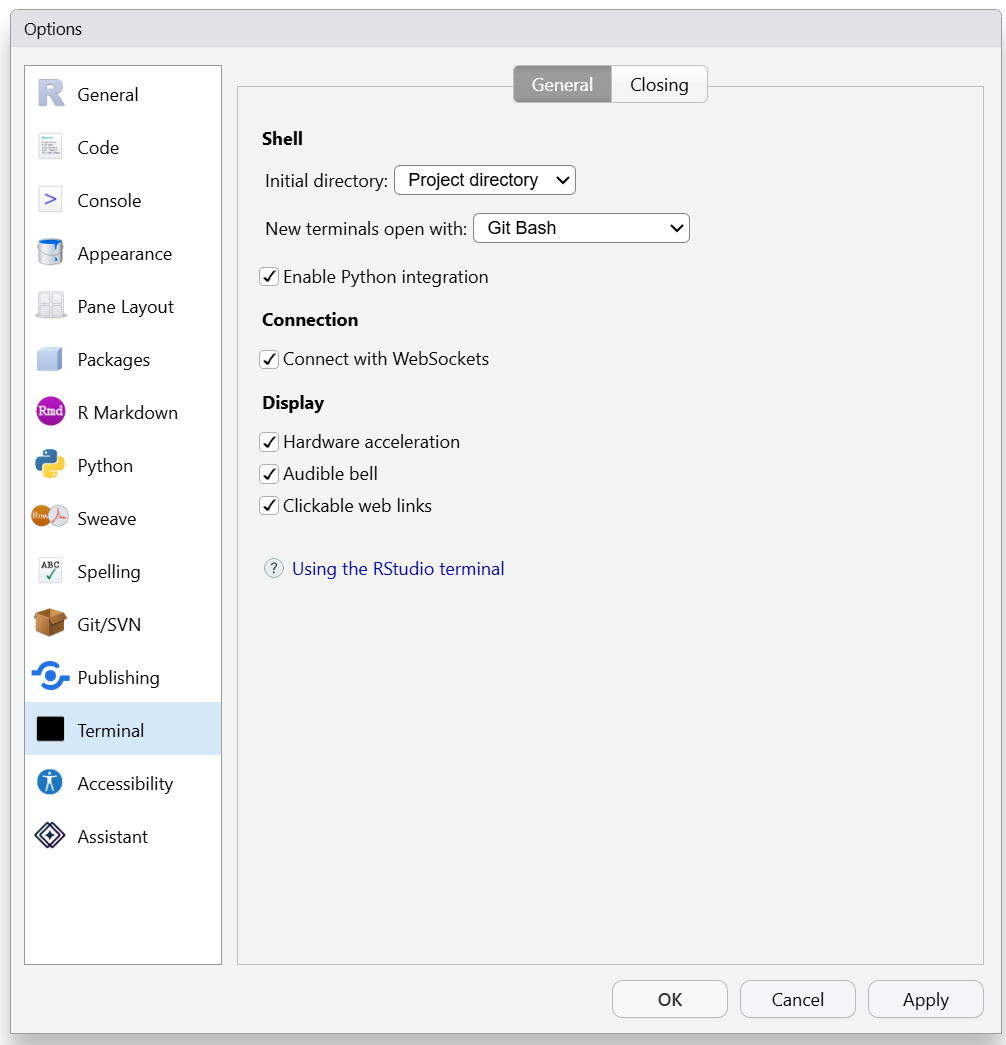
Based on the info you provided, here are instructions on how you should be able to resolve this. I haven't tested this locally, so if you give it a try please report back on how it goes.
Keeping Bash history in the RStudio Terminal (Git Bash on Windows)
What's actually going wrong
There are two independent problems here.
1. Bash only writes its history file on a clean exit
Bash keeps history in memory and writes $HISTFILE when the shell exits normally — i.e. when you type exit. Historically it also tried to write on SIGHUP, but bash 4.2 removed that (the save routine isn't safe to call from a signal handler), and only a narrow case was restored later.
On Windows this path is especially unreliable: the shell runs behind winpty/ConPTY, and when the terminal goes away Windows delivers a CTRL_CLOSE_EVENT with a short kill timer that MSYS2 does not convert into a survivable SIGHUP. The result is that the shell is terminated outright and never writes anything.
RStudio closes terminal shells when you close a terminal pane, switch projects, or quit the IDE — none of which is a clean exit. Hence: history forgotten.
2. RStudio and Git Bash are using two different home directories
From your diagnostics:
| Shell |
$HOME |
$HISTFILE |
| RStudio Terminal |
/c/Users/michael |
/c/Users/michael/.bash_history |
| Git Bash (icon) |
/h |
/h/.bash_history |
This is a known RStudio behaviour (rstudio/rstudio#12333): RStudio's terminal sets its own HOME rather than inheriting the one Git Bash computes from %HOMEDRIVE%%HOMEPATH% (your H: drive).
So there are two separate history files, and any config you put in ~/.bashrc only applies to whichever shell happens to be reading that ~.
The fix
The plan: one shared config file, referenced from both home directories, that flushes history after every command and points both shells at a single history file.
Run all of these commands in a Git Bash terminal. Adjust /c/Users/michael if your
username differs.
Step 1 — Create the shared config
cat > /c/Users/michael/.bash_common <<'EOF'
# ---- shared bash history configuration ----

# One history file for every shell, on the local disk (not the H: network drive)
export HISTFILE=/c/Users/michael/.bash_history

shopt -s histappend          # append at exit instead of overwriting
HISTSIZE=100000              # lines kept in memory
HISTFILESIZE=100000          # lines kept on disk
HISTCONTROL=ignoreboth       # skip duplicates and leading-space commands

# Flush new history to disk after every command.
# Git Bash's git-prompt.sh already sets PROMPT_COMMAND, so append rather than replace,
# and guard against being sourced twice.
case "$PROMPT_COMMAND" in
  *"history -a"*) ;;
  *) PROMPT_COMMAND="history -a${PROMPT_COMMAND:+; $PROMPT_COMMAND}" ;;
esac

# Also flush if the shell does get a chance to shut down.
trap 'history -a' EXIT HUP
EOF
Step 2 — Point both home directories at it
RStudio may launch the shell as a non-login shell (reads .bashrc) while the Git Bash icon launches a login shell (reads .bash_profile). Setting up both covers either case.
for h in /c/Users/michael /h; do
  # .bashrc loads the shared config
  grep -qs 'bash_common' "$h/.bashrc" 2>/dev/null || \
    echo '[ -f /c/Users/michael/.bash_common ] && . /c/Users/michael/.bash_common' >> "$h/.bashrc"

  # .bash_profile makes sure login shells read .bashrc
  grep -qs 'bashrc' "$h/.bash_profile" 2>/dev/null || \
    printf '%s\n' '[ -f ~/.profile ] && . ~/.profile' \
                  '[ -f ~/.bashrc ]  && . ~/.bashrc' >> "$h/.bash_profile"
done
The grep -qs guards make this safe to re-run and safe if you already have these files.
Step 3 — Restart and verify
Close all Git Bash windows and restart RStudio, then in each of the RStudio Terminal and a standalone Git Bash window:
echo $HISTFILE                 # expect /c/Users/michael/.bash_history in BOTH
echo hello-from-$$             # run any command
tail -n 2 "$HISTFILE"          # the command should already be in the file
The third line is the real test — if echo hello-from-... appears in the file immediately, without exiting the shell, the flush is working.
Then switch RStudio projects, come back, open a terminal, and press the up arrow. Your previous commands should be there.
Things worth knowing
Both shells now share one history file. Commands from the RStudio Terminal and from Git Bash interleave in a single list. That's usually what people want. Note that a running shell won't see another shell's new commands until it restarts; if you want that too, add history -n after history -a in the PROMPT_COMMAND line — but be aware it makes the up-arrow list stop reflecting just your own session.
History moved off the H: drive. If H: is a network home drive, writing history on every prompt would have meant a network round-trip per command. The config above keeps it on C:. Your existing /h/.bash_history is left untouched — if you want to keep those old commands:
cat /h/.bash_history >> /c/Users/michael/.bash_history
Your Git and SSH config are not affected. This only changes HISTFILE. Anything in /h/.gitconfig or /h/.ssh stays where it is and keeps working exactly as before.