I recently updated to macOS Catalina. Now, when I knit an Rmarkdown document to html, all my code chunks come out in "Times" font:
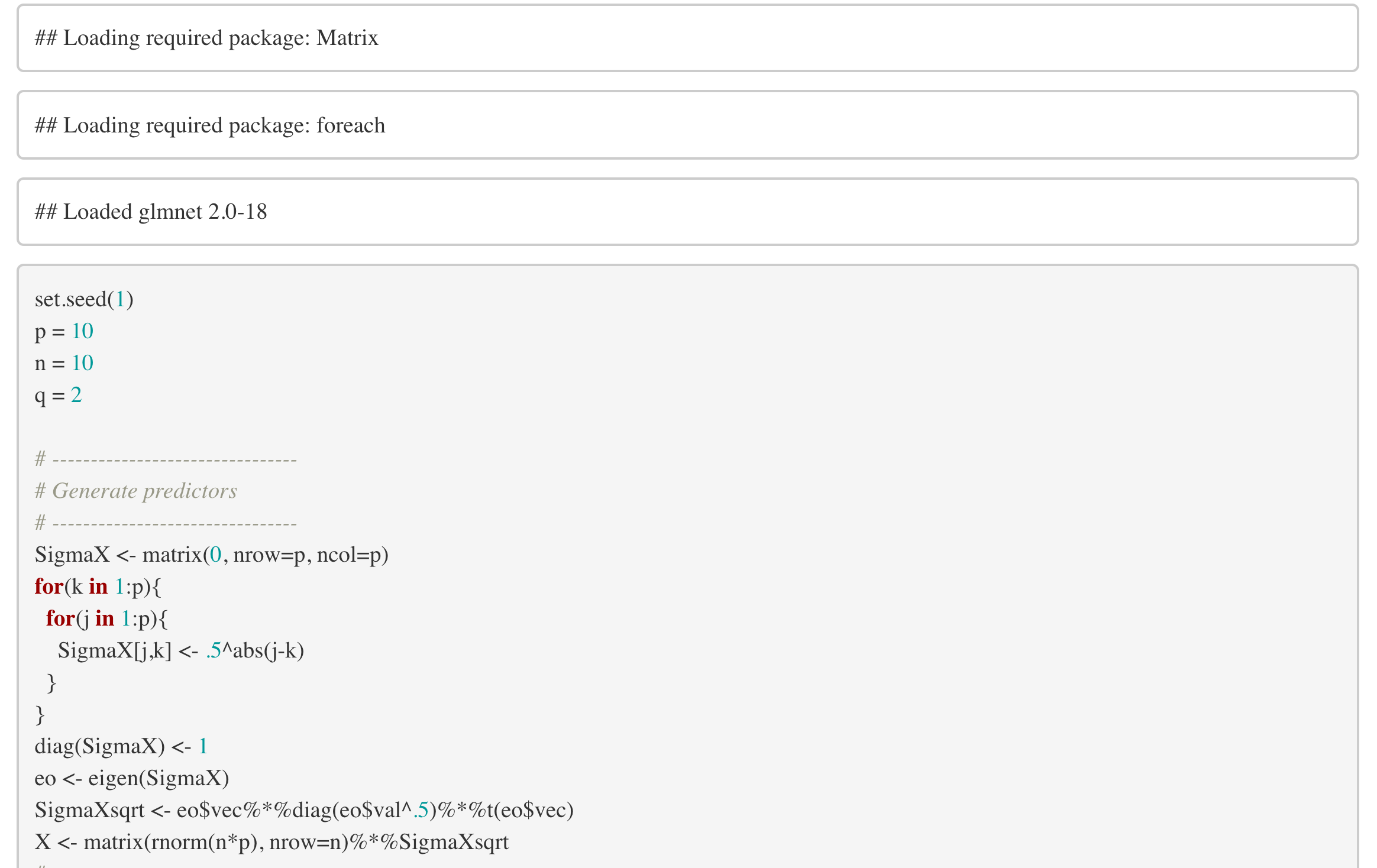
What can I do to revert to the default style I'm more used to?
I recently updated to macOS Catalina. Now, when I knit an Rmarkdown document to html, all my code chunks come out in "Times" font:
What can I do to revert to the default style I'm more used to?
Hi, and welcome!
See the RMarkdown Book for an example of how to change font with a css style.
Sorry, perhaps I wasn't clear about what I was asking. I'm more wondering WHY the default style changed when I updated to Catalina? I'm still using html_document: default, but clearly the document I screencapped is not in the default style.
It's especially strange because when I knit to pdf, the code font returns to computer modern (or whatever the default is).
I have to think it is related to Catalina. I'm waiting for .3 to upgrade from Mojave 
Ha! I'm feeling like that is probably the correct course of action.
Yeah, does seem like a Cupertino gift, doesn't it?
This topic was automatically closed 21 days after the last reply. New replies are no longer allowed.