...
Greetings
I am building an app with some code instructions, for tutorial purposes.
It has some interactivity on the main tab, and then the walkthrough code in a tab.
The code page, let's call it instructions, was made using Rmarkdown.
At the ui.R I wanted to include the instructions.Rmd in a tab, as following:
ui =
  fluidPage(
    navbarPage("Mainpage",

    tabPanel("App",
                   h2("Some shiny stuff")
                                 ),

    tabPanel("Instructions",
                   includeMarkdown("instructions.Rmd")
                      ),
              )
    )
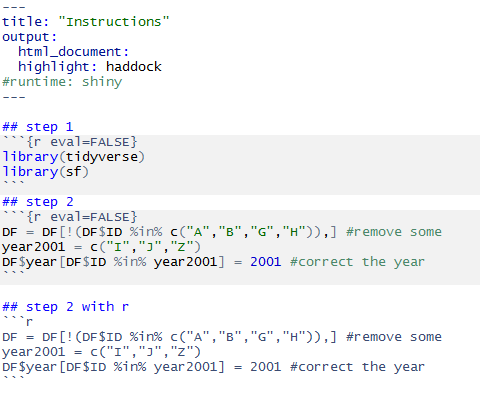
The instructions.Rmd are something like this:
(1/3)
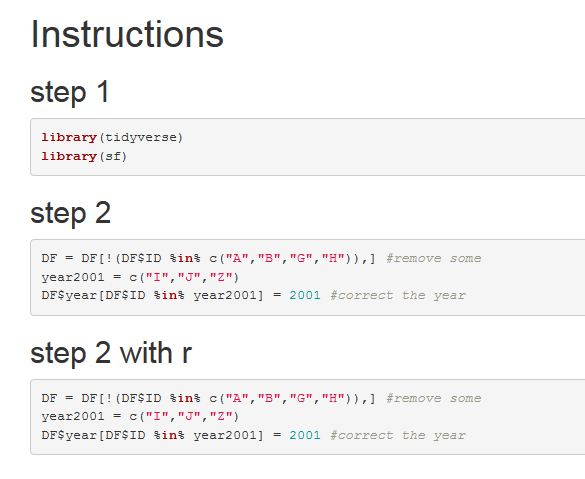
When knit and opening in browser, the HTML looks fine regarding the syntax highlight
(2/3 ... sorry but as I am a new user I can only post one image at once)
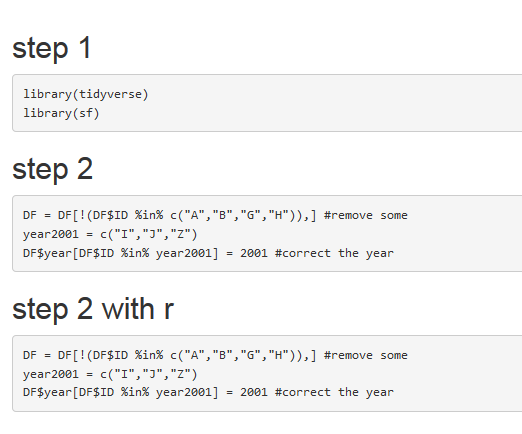
The problem is that when using includeMarkdown() the tab is showing the Rmd but without the syntax, all grey.
The same applies if I call a pre-rendered html
includeHTML(), with the body tags removed (as reported in other issues).
Both locally and in shiny-server happens the same.
Is it normal and there is nothing I can to do change the way the syntax is displayed, or am I missing something here?
Thank you
(3/3)
in other words, how to include the syntax with greens and blues that is show here in the code chunk on the right (html). I don't see a specific clue in the code that differs mine.
https://shiny.rstudio.com/gallery/including-html-text-and-markdown-files.html
I wonder why it does not work...