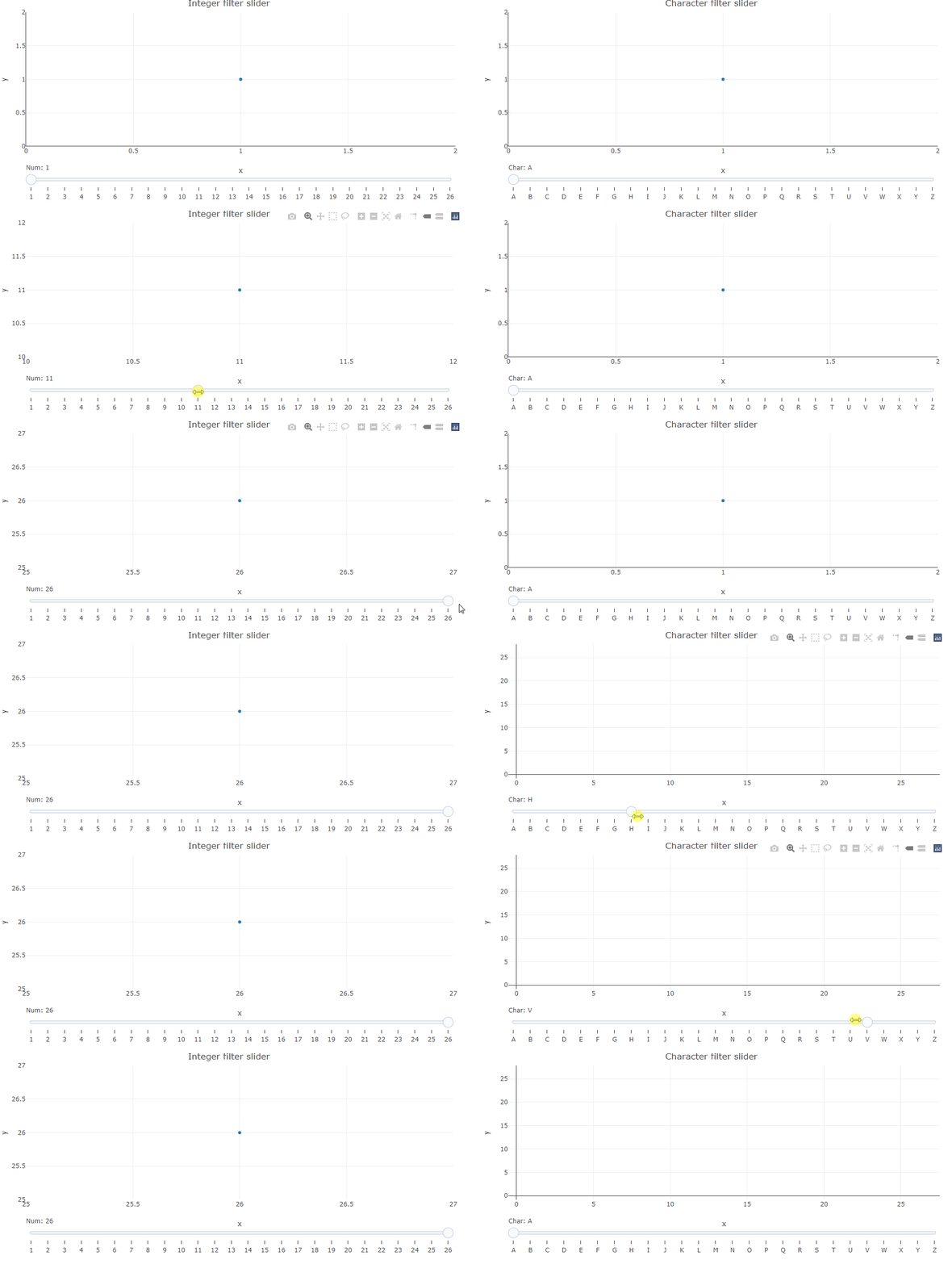
I'm trying to filter a plotly object based on a character column of the underlying dataset.
I'm able to do the filtering based on a interger column just fine (please see the example) and I'm aware of the fact, that I could use character labels along with the working version.
Still I'd like to know why the charcol_plot below isn't working as expected.
As you can see the first filter statement applied to the plotly object works (charcol = 'A'). However, once the slider triggers restyle no datapoints are shown (as if the value provided by the slider doesn't meet the underlying data).
I'd appreciate any pointers on what goes wrong.
Cheers!
library(plotly)

DF <- data.frame(x = 1:26,
                 y = 1:26,
                 charcol = LETTERS[1:26])

xsteps <- list()
for (i in seq_along(DF$x)) {
  xsteps[[i]] <- list(
    args = list('transforms[0].value', i),
    label = i,
    method = "restyle",
    value = i
  )
}

charcolsteps <- list()
for (i in seq_along(DF$charcol)) {
  charcolsteps[[i]] <- list(
    args = list('transforms[0].value', i),
    label = DF$charcol[i],
    method = "restyle",
    value = DF$charcol[i]
  )
}

numcol_plot <- plot_ly(
  DF,
  x = ~ x,
  y = ~ y,
  type = "scatter",
  mode = "markers",
  transforms = list(list(
    type = 'filter',
    target = ~ x,
    operation = '=',
    value = 1
  ))
) %>% layout(title = "Integer filter slider",
             sliders = list(list(
               active = 0,
               currentvalue = list(prefix = "Num: "),
               pad = list(t = 30),
               steps = xsteps
             )))

charcol_plot <- plot_ly(
  DF,
  x = ~ x,
  y = ~ y,
  type = "scatter",
  mode = "markers",
  transforms = list(
    list(
      type = 'filter',
      target = ~ charcol,
      operation = '=',
      value = 'A'
    )
  )
) %>% layout(title = "Character filter slider",
             sliders = list(
               list(
                 active = 0,
                 currentvalue = list(prefix = "Char: "),
                 pad = list(t = 30),
                 steps = charcolsteps
               )
             ))

crosstalk::bscols(numcol_plot, charcol_plot, widths = 6)