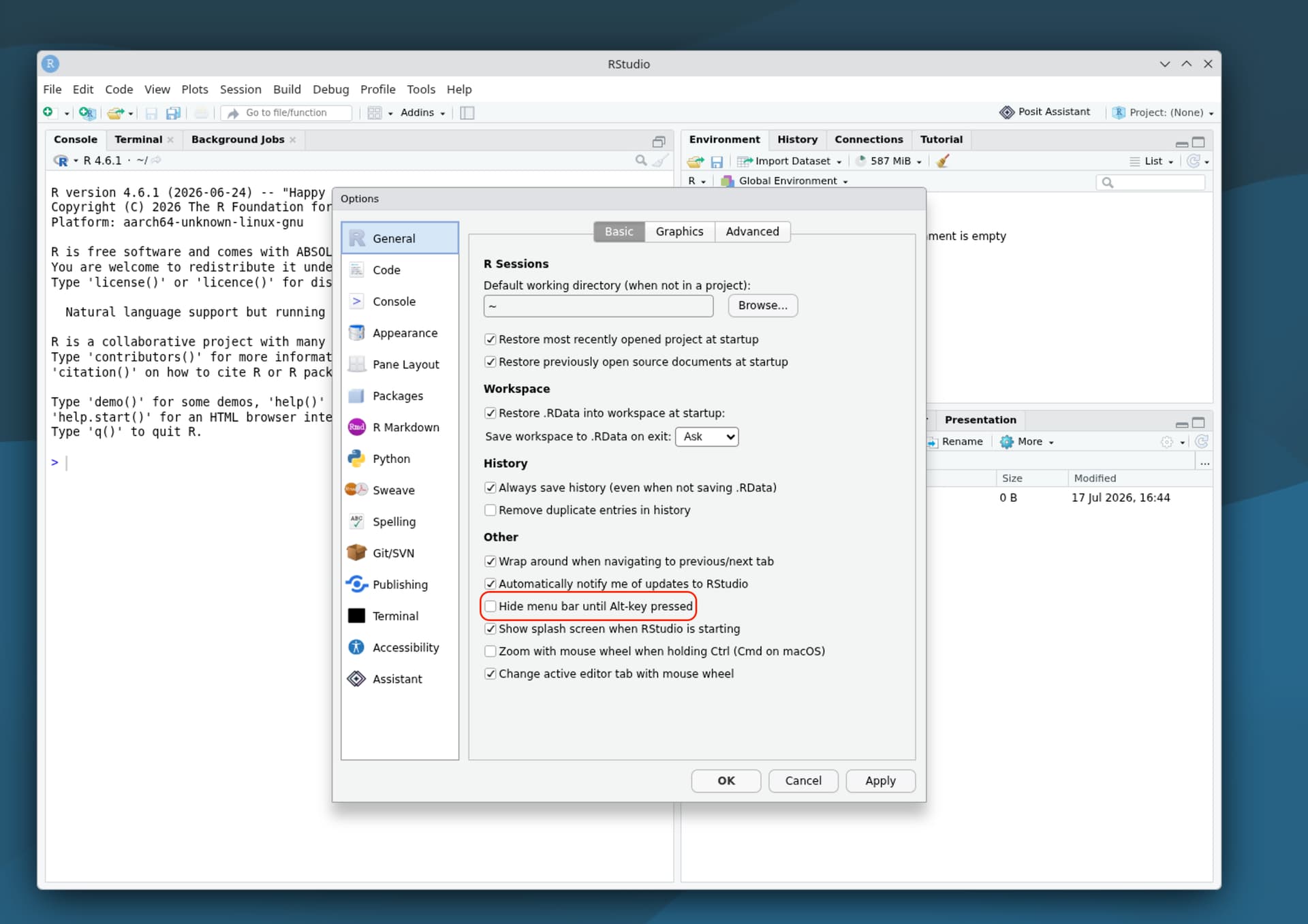
Issue
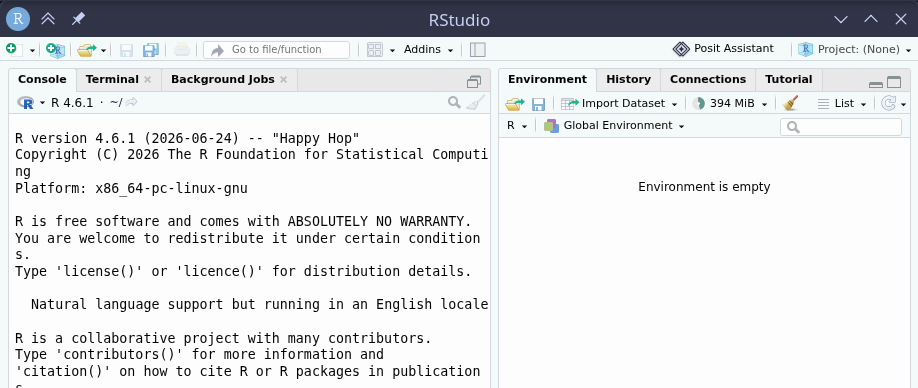
Just installed the latest Rstudio on my system via the .deb package on the download page, and there is no menu bar at all, so I can not access Files, settings etc.
The rest seems to be working just fine so far.
What it looks like
What I tried
- I took a look at several files under
~/.config/Rstudiobut could not find a suitable option for controlling the menu bar. - I tried deleting the
~/.local/share/rstudiodirectory to reset Rstudio, but that din;t affect anything, as expected due to the fact that it's a fresh install
System Info
An x86 Asus running
- Debian forky (the current Debian Testing) and
- KDE Plasma 6.6.5 (wayland session)
❯ rstudio --version
2026.07.0+139
❯ rstudio --version-json
{
  "node": "24.17.0",
  "acorn": "8.16.0",
  "ada": "3.4.4",
  "amaro": "1.1.9",
  "ares": "1.34.6",
  "brotli": "1.0.9",
  "cldr": "47.0",
  "icu": "77.1",
  "llhttp": "9.4.2",
  "merve": "1.2.2",
  "modules": "145",
  "napi": "10",
  "nbytes": "0.1.4",
  "nc~rypto": "0.0.1",
  "nghttp2": "1.69.0",
  "nghttp3": "",
  "ngtcp2": "",
  "openssl": "0.0.0",
  "simdjson": "4.6.1",
  "simdutf": "7.7.0",
  "sqlite": "3.53.0",
  "tz": "2025b",
  "undici": "7.28.0",
  "unicode": "16.0",
  "uv": "1.52.1",
  "uvwasi": "0.0.23",
  "v8": "14.6.202.34-electron.0",
  "zlib": "1.3.1",
  "zstd": "1.6.0",
  "electron": "41.9.0",
  "chrome": "146.0.7680.216",
  "rstudio": "2026.07.0+139"
}
There are hints when I start Rstudio from the terminal:
❯ rstudio
[547549:0717/001241.902975:ERROR:ui/ozone/platform/wayland/gpu/wayland_surface_factory.cc:251]
'--ozone-platform=wayland' is not compatible with Vulkan. Consider switching to '--ozone-platfo
rm=x11' or disabling Vulkan
Gtk-Message: 00:12:42.137: Failed to load module "appmenu-gtk-module": 'gtk_module_display_init
': /usr/lib/x86_64-linux-gnu/gtk-3.0/modules/libwindow-decorations-gtk-module.so: undefined sym
bol: gtk_module_display_init
[547510:0717/001242.296550:ERROR:ui/ozone/platform/wayland/host/wayland_wp_color_manager.cc:277
] Unable to set image transfer function.
[547510:0717/001242.296565:ERROR:ui/ozone/platform/wayland/host/wayland_wp_color_manager.cc:195
] Failed to populate image description for color space {primaries:BT709, transfer:SRGB, matrix:
RGB, range:FULL}
[547510:0717/001242.849966:ERROR:ui/ozone/platform/wayland/host/wayland_wp_color_manager.cc:277
] Unable to set image transfer function.
[547510:0717/001242.849978:ERROR:ui/ozone/platform/wayland/host/wayland_wp_color_manager.cc:195
] Failed to populate image description for color space {primaries:BT709, transfer:SRGB, matrix:
RGB, range:FULL}
[547510:0717/001242.849985:ERROR:ui/ozone/platform/wayland/host/wayland_wp_color_management_sur
face.cc:64] Failed to get image description for color space.
But I don't know what to make of them. For example, how can I disable Vulkan for this app, as suggested?