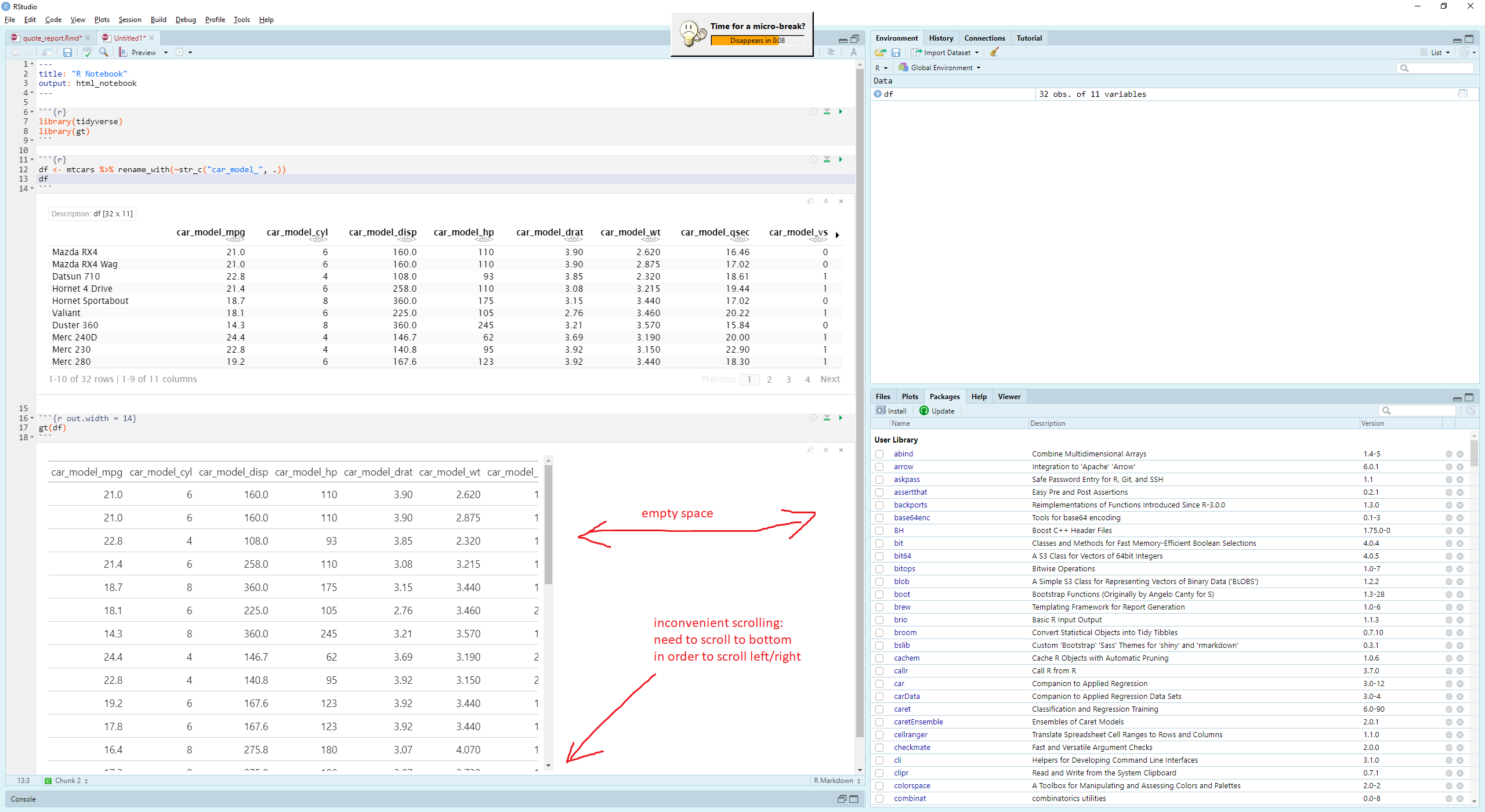
I've had a few issues with html tables in the RStudio notebook window.
I haven't found a way to adjust the size of the html output in the window. The default size is very narrow and I can often see only a few columns at a time.
Second, I struggle with the scrolling. I find that in order to scroll left/right, I first have to scroll all the way to the bottom of the table. It makes it pretty difficult to scan through large tables.
Can I just use the default tibble printing or view()? Yes, and I do this sometimes. But there are other times where the table formatting in the html tables is essential to seeing the data correctly.
Any tips? Thanks!
---
title: "R Notebook"
output: html_notebook
---

```{r}
library(tidyverse)
library(gt)
df <- mtcars %>% rename_with(~str_c("car_model_", .))
df
gt(df)
I find I can use tab_options(container.height = 400) to make the scrolling work better within the html box.
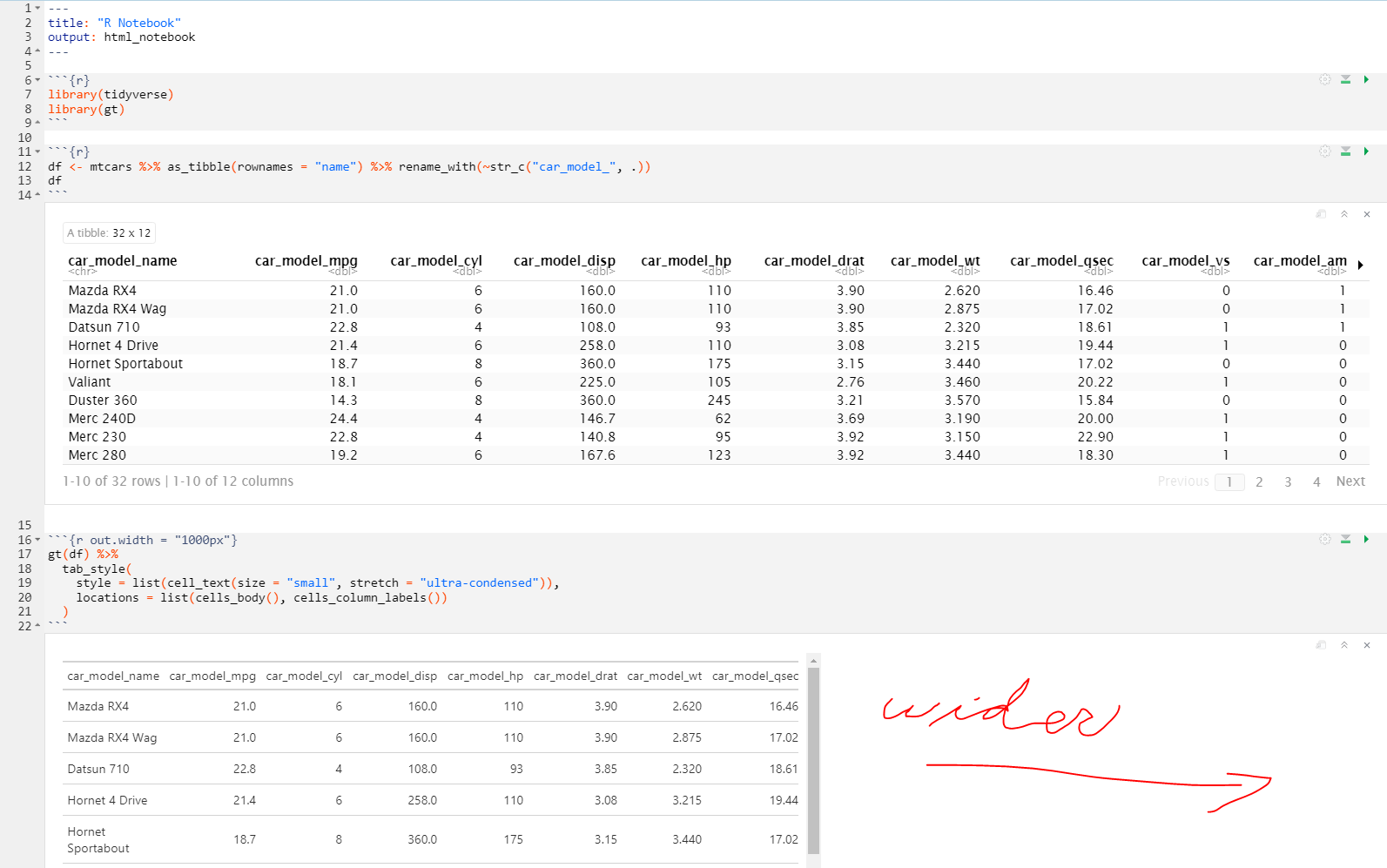
However, I can't seem to increase the width of the html box. Is it possible that a future version of RStudio will allow this? The current html box width is only about 800 pixels, which is very narrow for modern monitors.
---
title: "R Notebook"
output: html_notebook
---

```{r}
library(tidyverse)
library(gt)
df <- mtcars %>% as_tibble(rownames = "name") %>% rename_with(~str_c("car_model_", .))
df
gt(df) %>%
  tab_style(
    style = list(cell_text(size = "small", stretch = "ultra-condensed")),
    locations = list(cells_body(), cells_column_labels())
  )
df %>%
  group_by(car_model_cyl) %>%
  gt() %>%
  tab_options(
    container.height = 400,
    table.font.size = 11
  ) %>%
  tab_style(style = cell_text(weight = "bold"), locations = cells_column_labels()) %>%
  tab_style(style = list(cell_text(weight = "bold"), cell_fill("lightgrey")), locations = cells_row_groups()) %>%
  tab_style(
    style = cell_fill(color = "pink"), locations = cells_body(rows = car_model_name == "Valiant")
  )