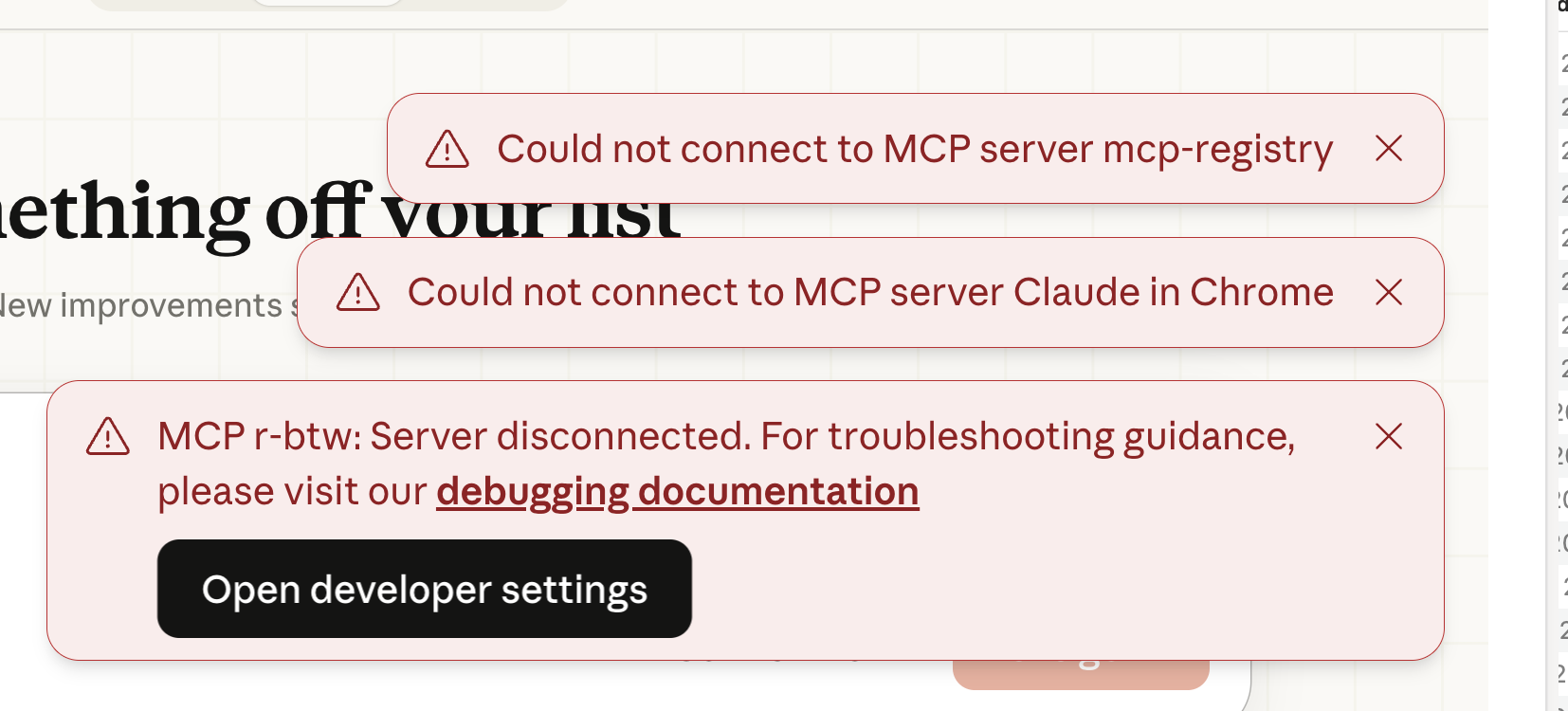
I may have installed the btw package incorrectly or done something else to my environment, but I now get this every time the Positron assistant kicks off:

If I don't skip it, Positron assistant seems to hang.
I have removed the r-btw package, tried to do a lot of debugging (with Claude, of course) to no avail.
Here is a hint that seems completely opaque to me:
$ tail -n 20 -F ~/Library/Logs/Claude/mcp*.log
2026-02-21T22:06:11.679Z [info] [r-btw] Using MCP server command: /usr/local/bin/Rscript with args and path: {
  args: [ '-e', 'btw::btw_mcp_server()', [length]: 2 ],
  paths: [
    '/usr/local/bin',
    '/opt/homebrew/bin',
    '/opt/local/bin',
    '/usr/bin',
    '/bin',
    '/usr/sbin',
    '/sbin',
    [length]: 7
  ]
}
2026-02-21T22:06:11.685Z [info] [r-btw] Server started and connected successfully
2026-02-21T22:06:11.787Z [info] [r-btw] Message from client: {"method":"initialize","params":{"protocolVersion":"2025-11-25","capabilities":{"extensions":{"io.modelcontextprotocol/ui":{"mimeTypes":["text/html;profile=mcp-app"]}}},"clientInfo":{"name":"claude-ai","version":"0.1.0"}},"jsonrpc":"2.0","id":0}
2026-02-21T22:06:12.280Z [info] [r-btw] Server transport closed
2026-02-21T22:06:12.280Z [info] [r-btw] Client transport closed
2026-02-21T22:06:12.280Z [info] [r-btw] Server transport closed unexpectedly, this is likely due to the process exiting early. If you are developing this MCP server you can add output to stderr (i.e. `console.error('...')` in JavaScript, `print('...', file=sys.stderr)` in python) and it will appear in this log.
2026-02-21T22:06:12.280Z [error] [r-btw] Server disconnected. For troubleshooting guidance, please visit our [debugging documentation](https://modelcontextprotocol.io/docs/tools/debugging)
2026-02-21T22:06:12.280Z [info] [r-btw] Client transport closed
Any hints?