The file is indeed in the working directory file which further confused me for the reason behind the error?
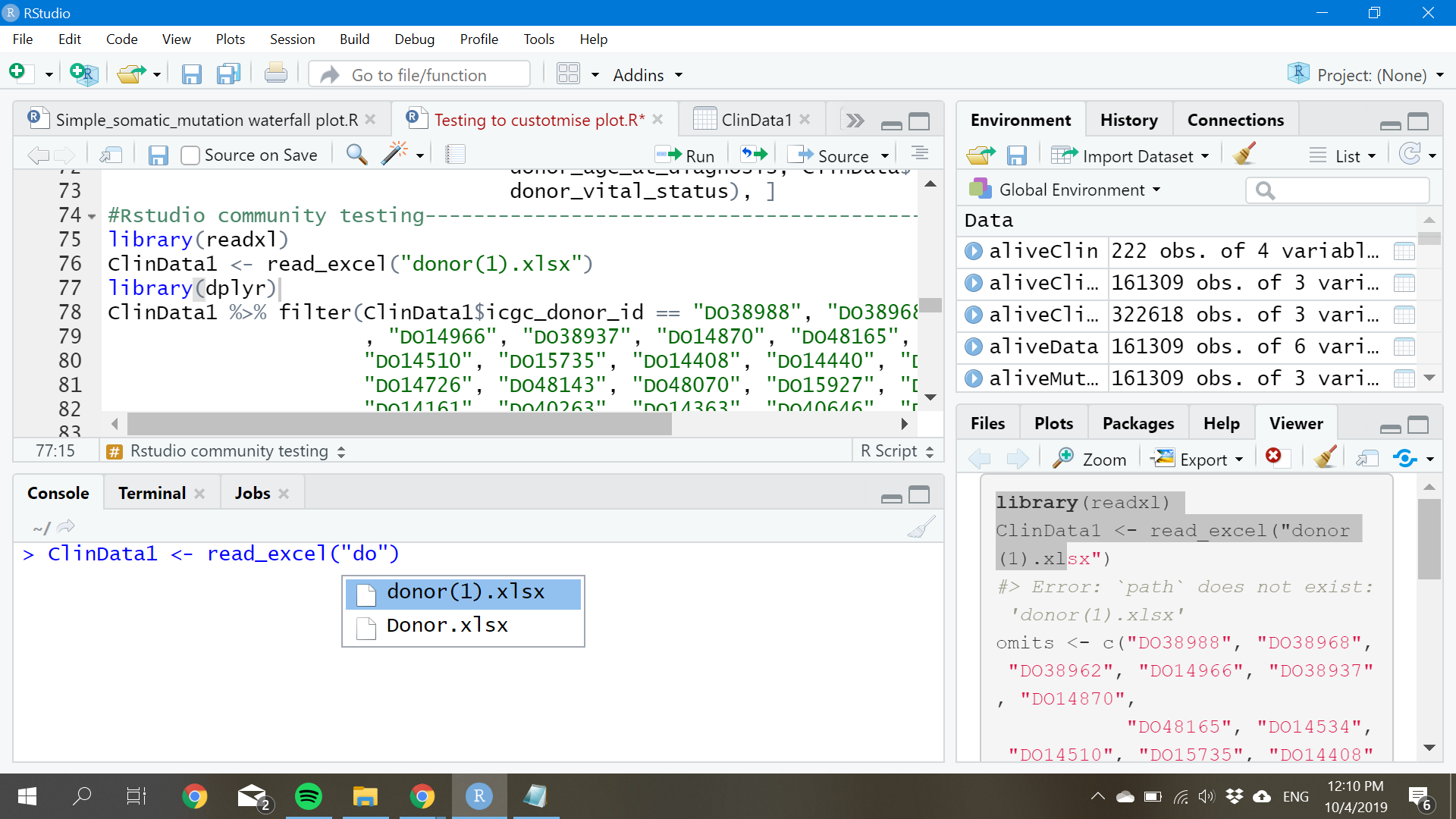
- Thanks for pointing out my error as I didn't know %>% is not a base function but within a package.
- Thank you so much for suggesting the book to read as I am self-learning R. Will definely spent more time on reading to avoid error as such. I've did some changes based on the example on the book
library(dplyr)
#>
#> Attaching package: 'dplyr'
#> The following objects are masked from 'package:stats':
#>
#>     filter, lag
#> The following objects are masked from 'package:base':
#>
#>     intersect, setdiff, setequal, union
ClinData1 <- read_excel("donor(1).xlsx") %>%
             filter(icgc_donor_id == "DO38988", "DO38968", "DO38962", "DO14966"
                    , "DO38937", "DO14870", "DO48165", "DO14534", "DO14510",
                    "DO15735", "DO14408", "DO14440", "DO49054", "DO14726",
                    "DO48143", "DO48070", "DO15927", "DO14152", "DO14161",
                    "DO40263", "DO14363", "DO40646", "DO14325", "DO14333",
                    "DO40592", "DO40586", "DO14288", "DO14290", "DO40520",
                    "DO14165", "DO40087"," DO16045", "DO14153", "DO40322")
#> Error: `path` does not exist: 'donor(1).xlsx'
The error on 'path' still cracks my head, can anyone point out what's my mistake?
Thanks!