I am trying to write my lecture slides in Quarto and revealjs, and I was wondering if it's possible to create a macro so that when I want to define a word I want to both bold that word and make it another color. Is there a way to make a command like \definition{word} that will autmatically do both so I don't have to write it out all the time?
Also, to expand on that, is there anyone with experience using Quarto/revealjs have any advice or resources that they would recommend?
and i set the name to TQuinlivan. This will create the folder structure as in the documentation.
Setting the tquinlivan.lua file to
return {
  ["tquinlivan"] = function(args, kwargs, meta)
    local text = ""
    if args[1] ~= nil then
      text = pandoc.utils.stringify(args[1])
    end
    local color = pandoc.utils.stringify(kwargs["color"])
    if color == nil or color == "" then
      color = "green"
    end
    return pandoc.RawInline("html", '<span style="color:' .. color .. '; font-weight:bold;">' .. text .. '</span>')
  end
}
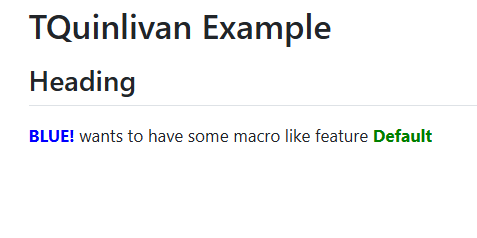
and the example.qmd to
---
title: "TQuinlivan Example"
---

## Heading

{{< tquinlivan "BLUE!" color="blue" >}} wants to have some macro like feature {{< tquinlivan "Default" >}}