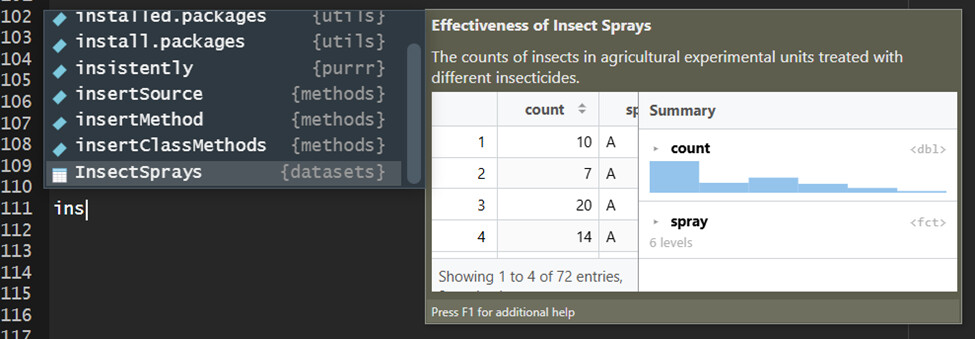
Recently the autocomplete pop-up windows on my desktop version of RStudio has changed such that the pop-up appears above the code line. The suggestion order has changed to the first suggestion apearing at the bottom of the pop-up and then proceeds going up the list. For example:
I want to reset autocomplete to its more traditional state (screenshot from a different pc):
(Since, apparently, new users can only include one image in a post, you have to imaging an image here with the pop-up extending below the code line with "ins" typed. The InsectSprays {datasets} is at the top of the list, and likely choices proceed down the list from there. )
This behavior has persisted through at least three RStudio version updates. I have spent a fair amount of time trying to undo this, but with no success. So, is there a way to reset the autocomplete behavior?
This sounds like it might be related to the graphics rendering engine. You could try going to Global Options > General > Advanced and changing the 'Rendering Engine' to 'Software' or 'Desktop OpenGL' to see if that resets the UI positioning behavior.